
Govern
Firewall Management
Review, clean, document, and manage firewall policies, VPN users, admin access, logging, and config backups.
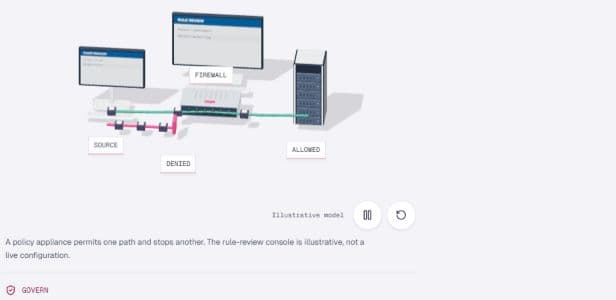
A policy appliance permits one path and stops another. The rule-review console is illustrative, not a live configuration.
- 01Current stateMap the environment and pressure.
- 02Authorized scopeAgree access, impact, and owners.
- 03Engineering workOperate, change, or remediate.
- 04Verified handoffDocument evidence and next controls.
Best fit
Who this service is for
Businesses whose firewall policy has grown through years of urgent changes, vendor edits, unclear owners, or missing documentation.
Firewall work is prioritized by exposure, hit counts, owner clarity, logging, remote access, admin controls, and backup recoverability.
Outcomes to plan for
- Rule cleanup
- Safer admin access
- Config backups
- Change logs
Operational triggers
Choose this service when these signals appear.
Scope
What we inspect, operate, or change.
Agree the systems, access permissions and change boundaries before work starts. The engagement scope determines which activities are included.
- Policy review
- Object cleanup
- VPN user review
- Admin hardening
- Backup and logging review
Deliverables
What remains with your team after the work.
- Rule risk register
- Cleanup roadmap
- Admin access notes
- Backup evidence
- Change governance template
FAQ
Questions to resolve before work begins.
How often should firewall rules be reviewed?
High-change environments should review firewall policy regularly, with deeper reviews after major projects, audits, incidents, migrations, or ownership changes.
Can cleanup be done without breaking production?
A careful cleanup uses exports, hit counts, owner validation, staged changes, rollback plans, and maintenance windows to reduce unnecessary disruption.
Request review
Discuss firewall management.
Tell us about your environment, the issue or project, and the outcome you need. Do not include passwords or sensitive configuration details.